This guide shows how to edit an existing Section 18A tax certificate to correct donor or contact details. Saving an edit automatically regenerates the PDF and updates the donor’s tax information on their profile.
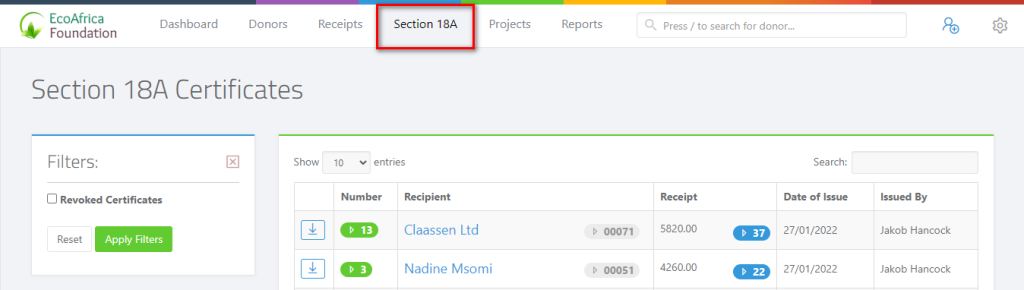
Click on Section 18A on the main menu bar.
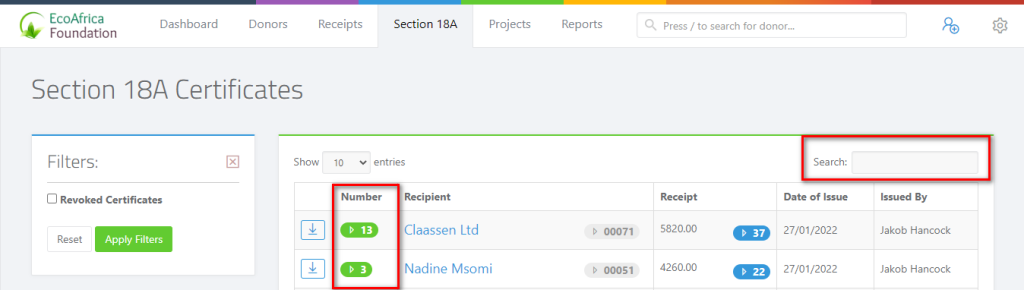
Search and locate the certificate using the name or surname, the receipt number or the Section 18A number.
After locating the certificate, click on the certificate number.
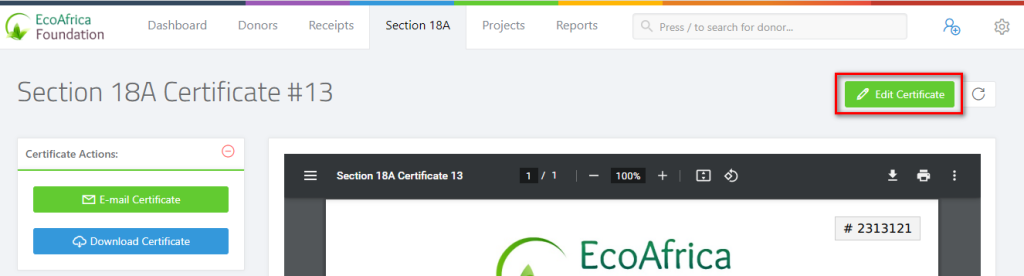
Click on the Edit Certificate button above the certificate on the right-hand side.
What you can edit
- Donor first name and surname (or organisation name and trading name)
- Identity type (ID or Passport) and country of issue
- Registration or tax number
- Phone number and email address
- Postal address and postal code
- Type of donation and certificate issue date
- Certificate (Section 18A) number — see below
- Date of birth — see below
Modify the certificate and click Save to apply your changes.
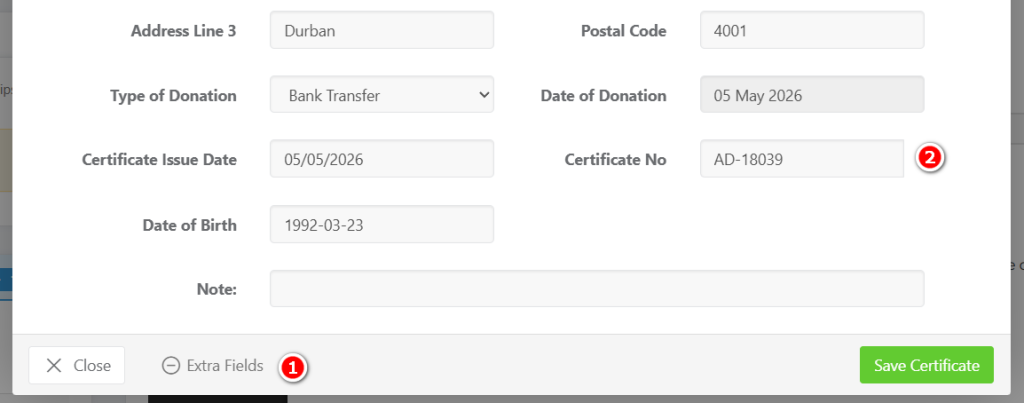
EXTRA FIELDS: Modifying the Section 18A certificate number
The Certificate No field on the edit form is editable. You can change it to correct a typo, re-number a certificate to match a legacy or migrated numbering scheme, or avoid a clash with a number issued elsewhere.
The new number must be unique: the system will reject duplicates. Changing the number on a single certificate does not affect the auto-generated sequence used for future certificates; it only updates this one record (and the regenerated PDF).
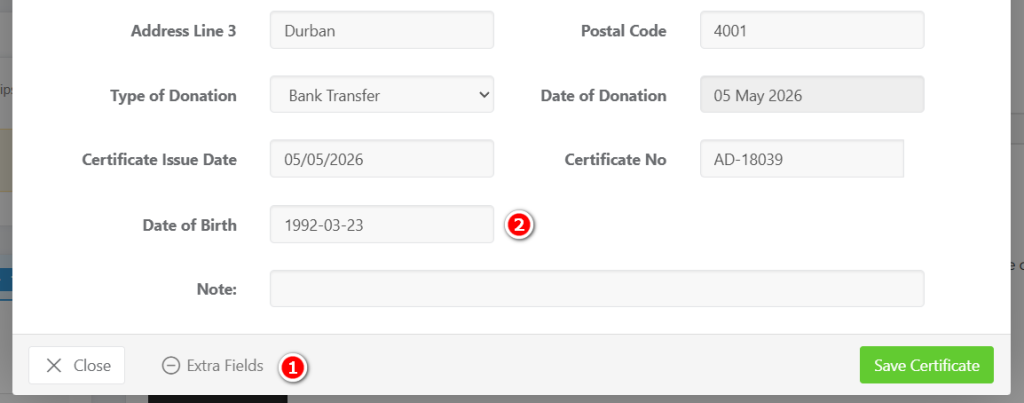
EXTRA FIELDS: International donors: entering a date of birth
For South African individual donors, the date of birth is automatically derived from the first six digits of their SA ID number, so you don’t need to enter it manually.
International individual donors who only have a passport (no SA ID) must have a Date of Birth entered manually — SARS still requires it on the certificate.
When you edit the certificate of an Individual donor, a Date of Birth field appears on the form. Fill it in for any donor whose Identity Type is set to Passport.
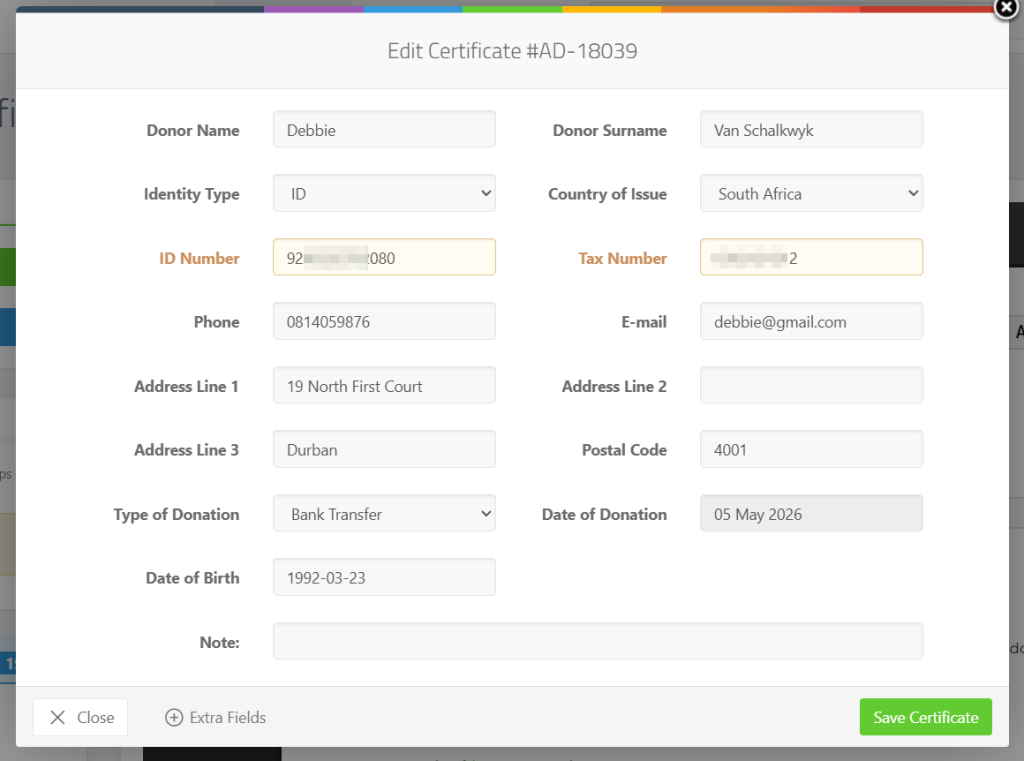
What happens when you save
- The certificate PDF is regenerated immediately with the updated details.
- The donor’s tax and ID information on their profile is synced to match the certificate.
When editing is not allowed
The system blocks edits in the following situations:
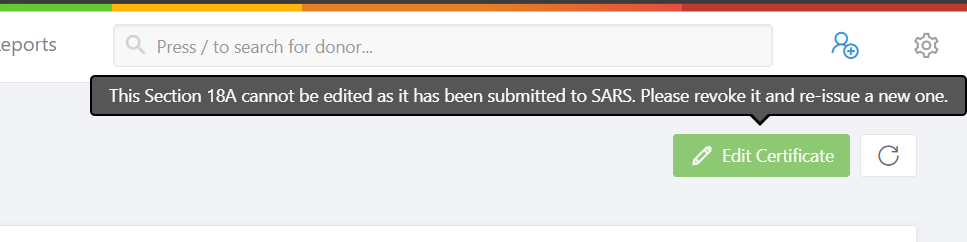
- The certificate has already been submitted to SARS via an IT3D filing. SARS-submitted certificates are locked to preserve the audit trail. To correct one, you must revoke the certificate and re-issue a new one.
- The donor is marked as deceased. Update the donor’s status first if the change is genuinely needed.