Refreshing a certificate and removing SAMPLE text
In short: Open the certificate and click Re-generate PDF File (the refresh icon) to rebuild its PDF from the current details and settings. This is how you remove the trial SAMPLE watermark after upgrading, and how you pick up a new logo, signature, colour or wording. It does not change the certificate number or the donations.
Overview
Refreshing a Section 18A certificate re-generates its PDF from the current details and settings, without changing the certificate number or the donations it covers. The most common reason to refresh is to remove the SAMPLE watermark after you move off the free trial, but it's also how you pick up a new logo, signature, colour, or wording you changed in certificate settings.
What the SAMPLE watermark is and why it appears
While your organisation is on the free trial, every certificate PDF is generated with a "SAMPLE" watermark. The certificate page tells you: "During the trial period, your Section 18A Certificates will have a 'SAMPLE' watermark." This stops trial certificates from being mistaken for valid tax certificates.
📌 Why it persists after upgrading: The watermark is baked into the PDF at the moment the certificate is generated, based on whether the account is on trial then. So a certificate issued during the trial keeps its SAMPLE watermark even after you upgrade — until you generate a fresh PDF.
Removing the SAMPLE watermark
Step 1: Move to a paid plan
Move your organisation from the trial onto a paid plan.
Step 2: Open the certificate
Open the certificate (the Section 18A Certificate # page).
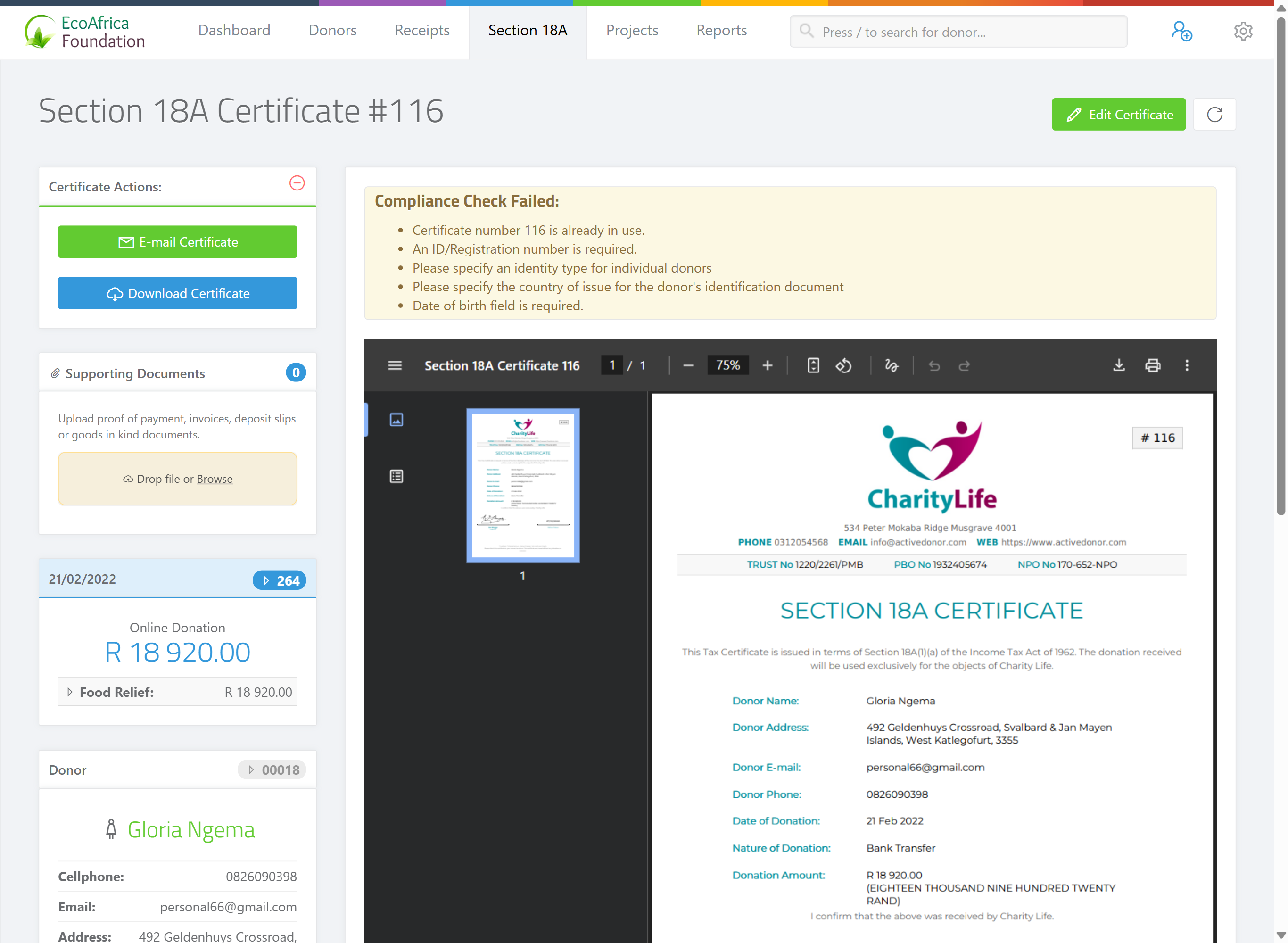
Step 3: Re-generate the PDF
Click the refresh button — the circular re-do icon labelled Re-generate PDF File. ActiveDonor re-generates the PDF, and because the account is no longer on trial, the new PDF has no SAMPLE watermark.
💡 Tip: If you have many certificates from the trial, refresh them one at a time, or re-sync all of a donor's certificates at once — see Regenerating certificates after changing details (which updates and regenerates every certificate for a donor in one step).
When else to refresh
Refresh a certificate whenever you want the PDF to reflect a change made after it was first generated, for example:
- You changed the logo, template, colours or wording in certificate settings.
- You added or changed the signature or turned on automatic signing.
- You added your PBO number (so the "INVALID without a PBO number" warning clears on the PDF).
Refreshing only re-renders the PDF. It does not change the certificate number, the linked donations, the amount, or the donation dates.
What refresh does not do
- It does not let you change donor or donation details — for that, edit the certificate (see Issuing a single Section 18A certificate), which regenerates the PDF for you.
- It does not affect a certificate that has been submitted to SARS; those are locked and must be revoked and re-issued to change anything substantive.
- If you've uploaded your own signed PDF, that uploaded file is shown instead of the generated one. Refreshing regenerates the system PDF in the background, but the uploaded file still takes precedence until you delete it — see Uploading your own certificate PDF.
Common issues & solutions
| What you see | What it means | How to fix it |
|---|---|---|
| The SAMPLE watermark is still there after upgrading. | The PDF was generated during the trial and hasn't been rebuilt. | Open the certificate and click Re-generate PDF File. If it persists, confirm the account is actually on a paid plan, not still in the trial window. |
| My new logo / signature didn't appear. | The PDF predates the settings change. | Refresh the certificate so a new PDF renders with the current settings. |
| I refreshed but still see the old PDF. | You're likely viewing an uploaded signed PDF. | Delete the uploaded file to fall back to the generated one — see Uploading your own certificate PDF. |
FAQ
How do I get rid of the SAMPLE watermark? Upgrade to a paid plan, then open the certificate and click Re-generate PDF File — see How do I remove the SAMPLE watermark from my certificates? for the steps.
Does refreshing change the certificate number? No. It only re-renders the PDF — the number, donations, amount and dates stay the same.
I changed my logo — will old certificates update automatically? No. Refresh each certificate (or re-sync all of a donor's certificates) to rebuild the PDFs with the new logo.
Can I refresh a certificate that's already with SARS? Substantive changes are blocked — those certificates are locked. Revoke and re-issue instead.